In short: Eini Budget works out what you really have left until your next payday. You type in your account balance, Eini takes off bills, fixed costs and your everyday spending and shows what is free. Eini does not connect to your bank and never pays anything. Eini Budget is part of Eini Premium: CHF 3 a week or CHF 90 a year, with a 7-day free trial.
What you enter, what you get
You enter:
- your account balance, typed once and updated whenever you like
- your net salary, your payday and, if you get one, your 13th salary
- your fixed costs: Eini suggests rent, health insurance and taxes from your other modules
- your everyday spending, logged in two seconds
- QR bills, photographed or as a PDF
You get:
- “Free until payday”: what really stays free until payday, after your buffer
- a calendar with every payment until payday
- the answer to “Can I afford it?”, with the best time to buy
- your balance for the next 12 months, with scenarios such as a pillar 3a
- a reminder before every bill you planned
Your banking app shows what is in the account. Eini Budget shows how much of it is really free, because bills, fixed costs and everyday spending until payday are already taken off.
How it works
- Enter your balance and salary. Type in your account balance, your net salary and your payday. If payday falls on a weekend or a public holiday, Eini counts with the bank working day before.
- Take over your fixed costs. Rent from the Housing module, health insurance from Insurance and taxes from the Taxes module: Eini suggests them, you confirm. Add your own fixed costs such as your phone, travel pass or gym.
- Log your spending. In the app, with the widget on your home screen, with Siri on the iPhone or right in the evening reminder. Or photograph the receipt: Eini reads the total, the shop and the date and discards the photo.
- Plan your bills. Photograph the payment part of a QR bill, choose a PDF or share it with Eini from Mail or Files. Eini plans the bill for the day you choose. You pay it as usual in your e-banking.
- Ask before you buy. “Can I afford a ski trip for CHF 890 in December?” Eini checks every day until your next payday and tells you when it fits.
What Eini Budget looks like
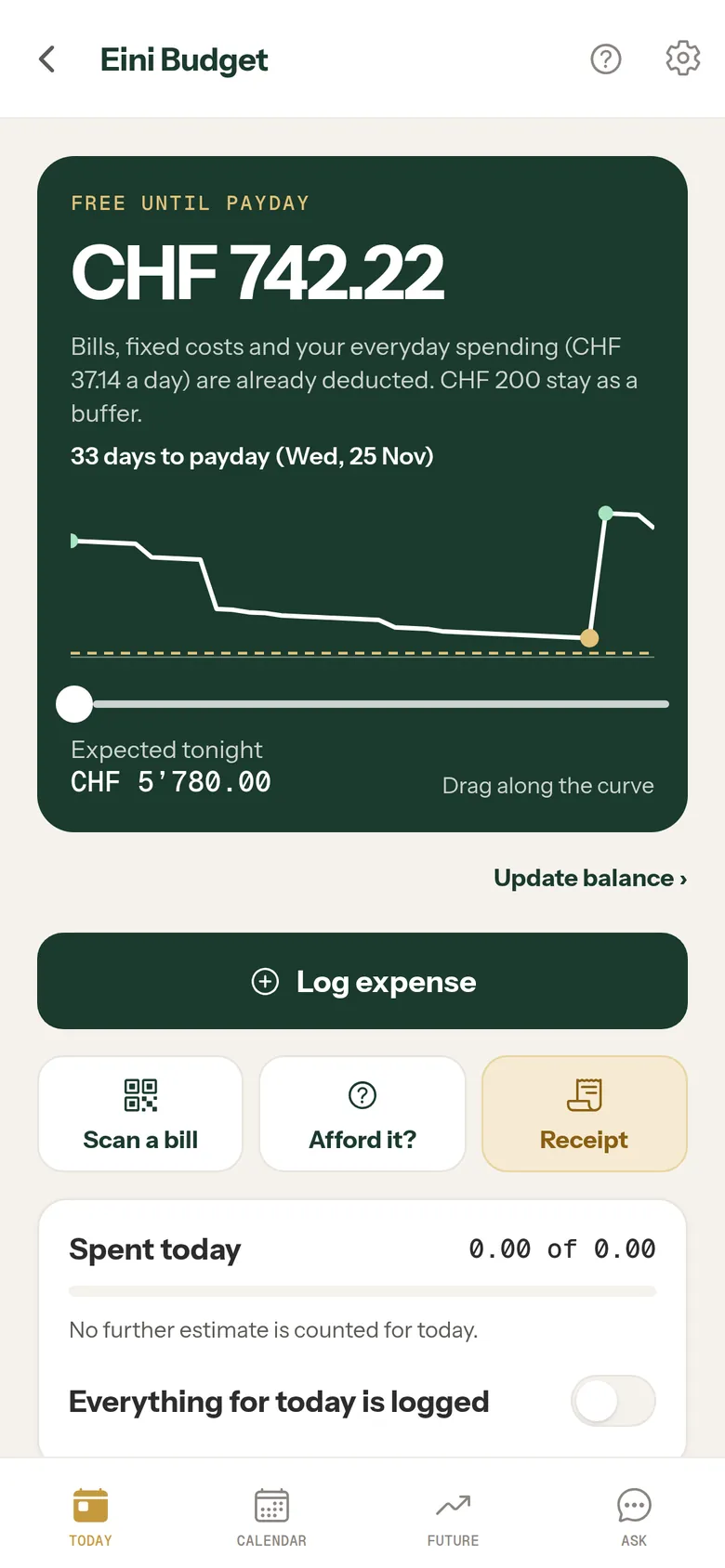
Today: what is free until payday 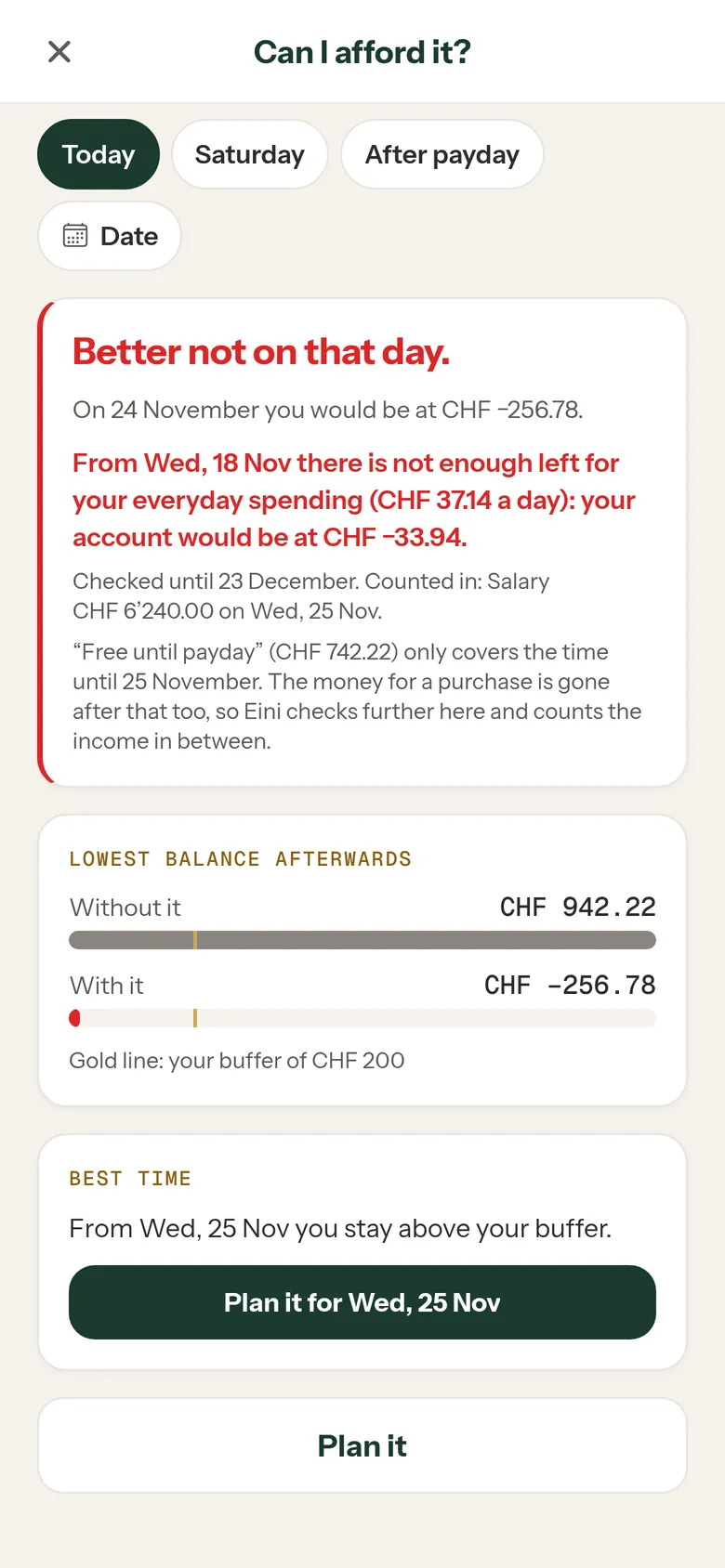
Before you buy: the best time 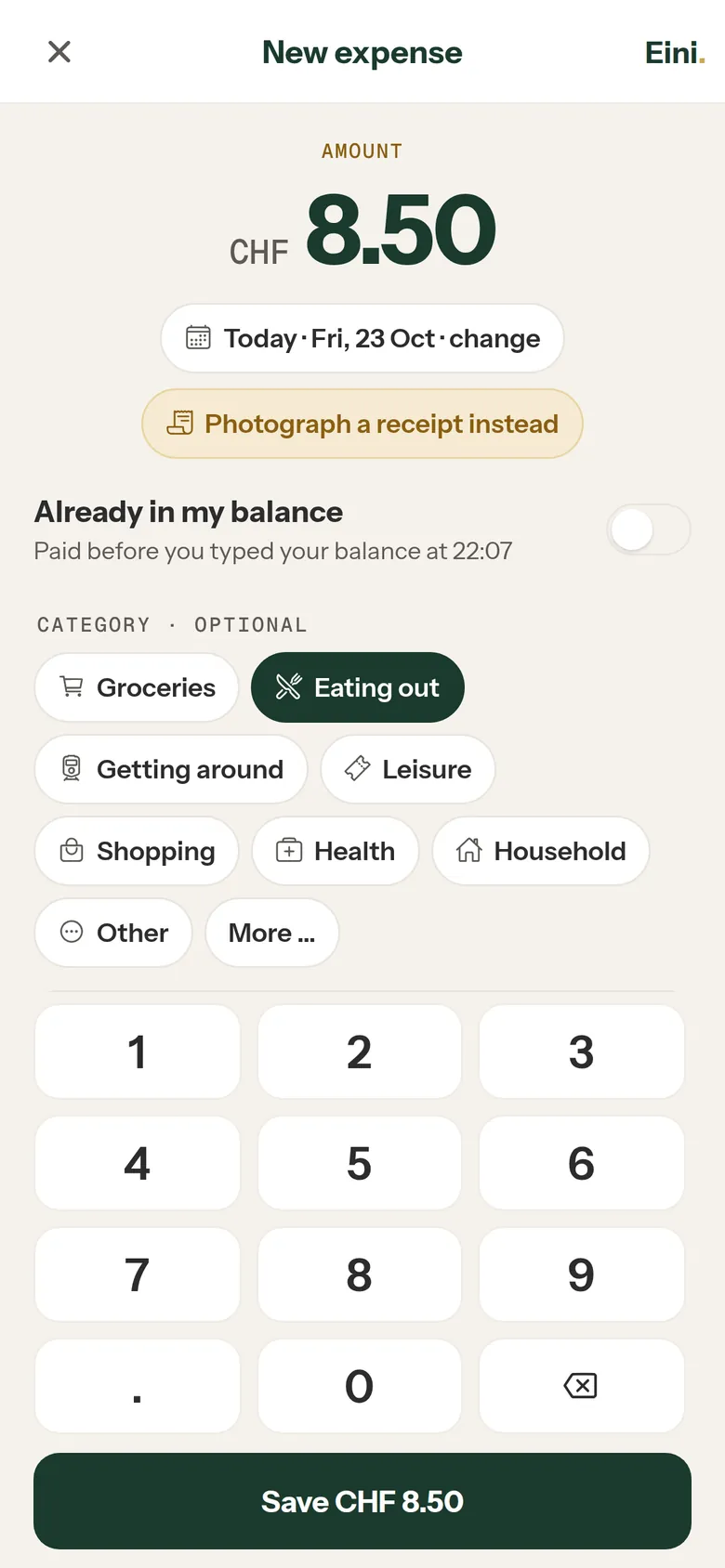
An expense logged in two seconds 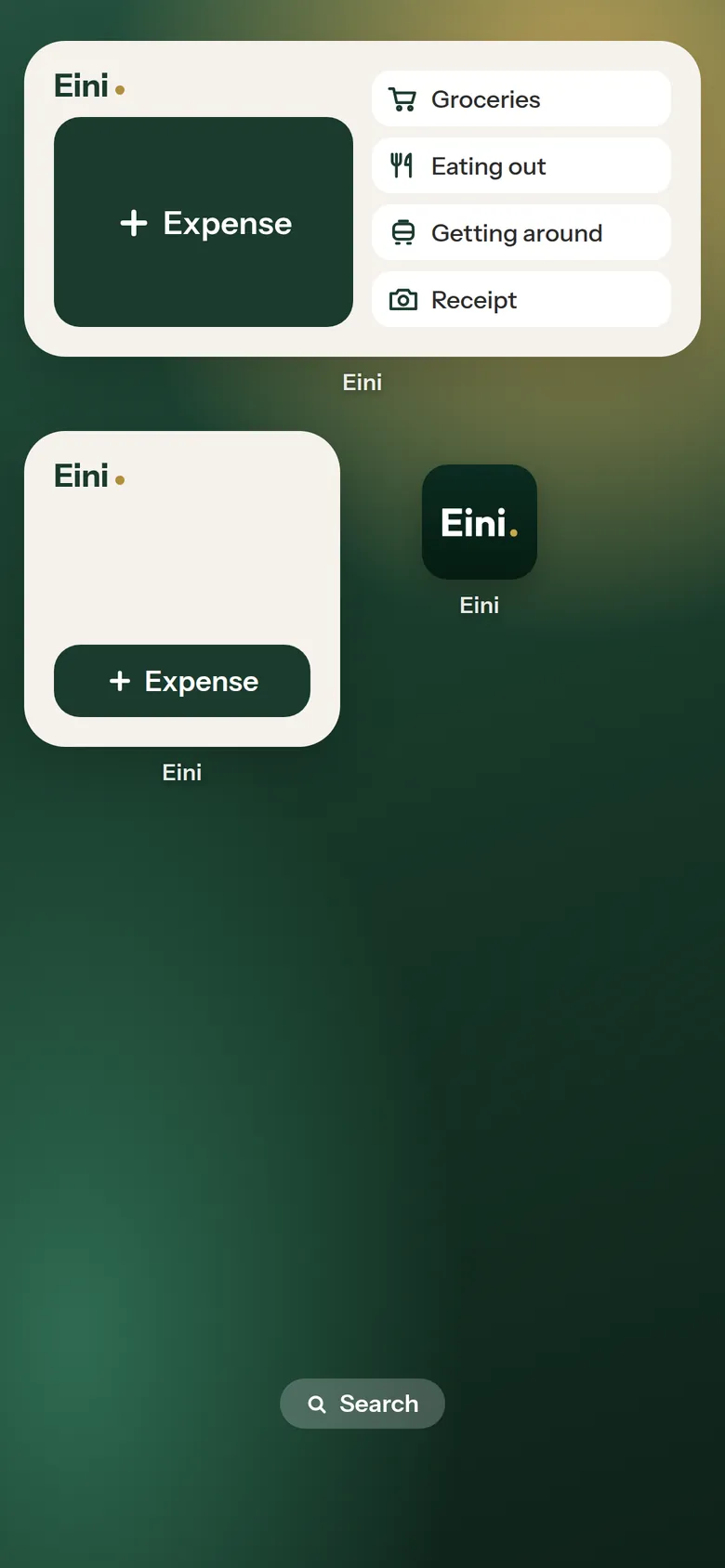
Widgets on the home screen 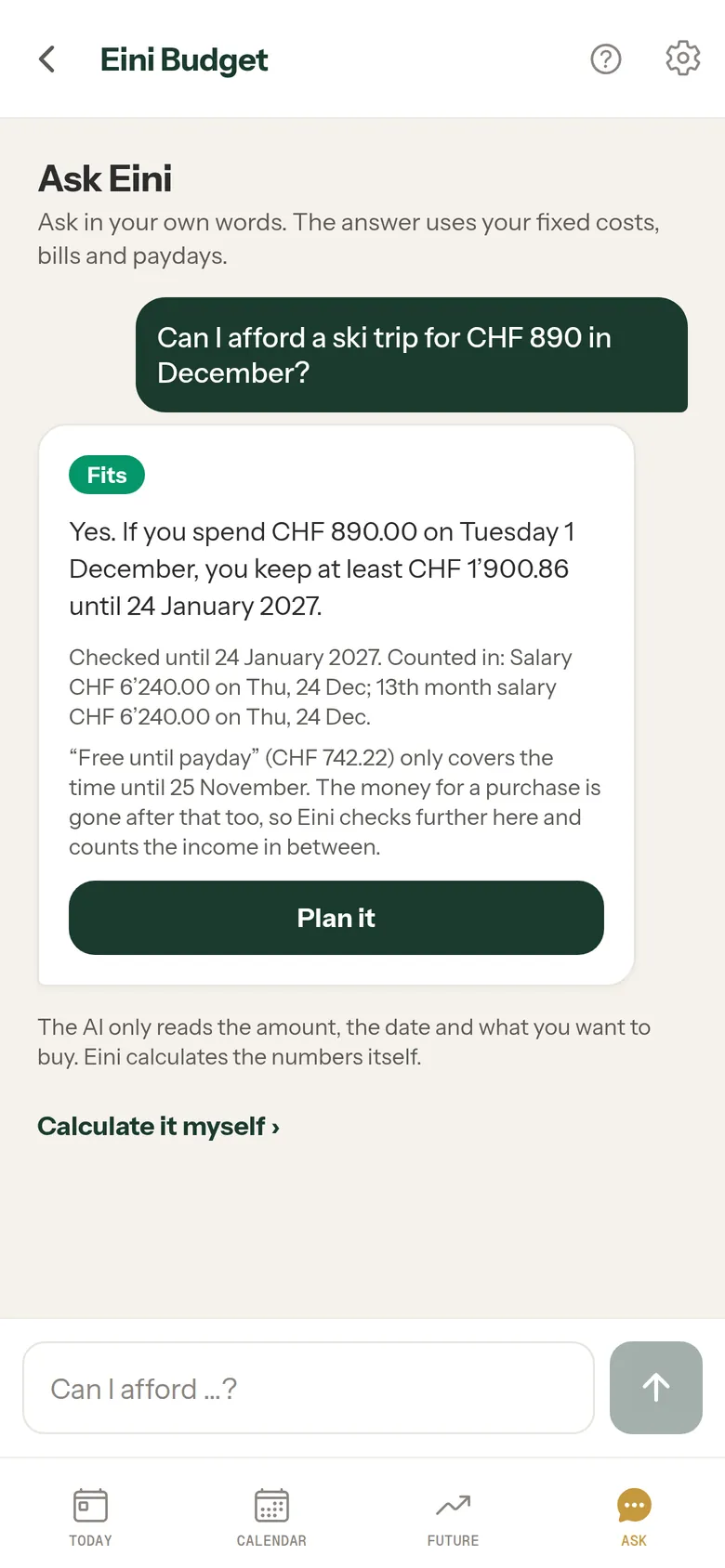
Ask Eini in your own words 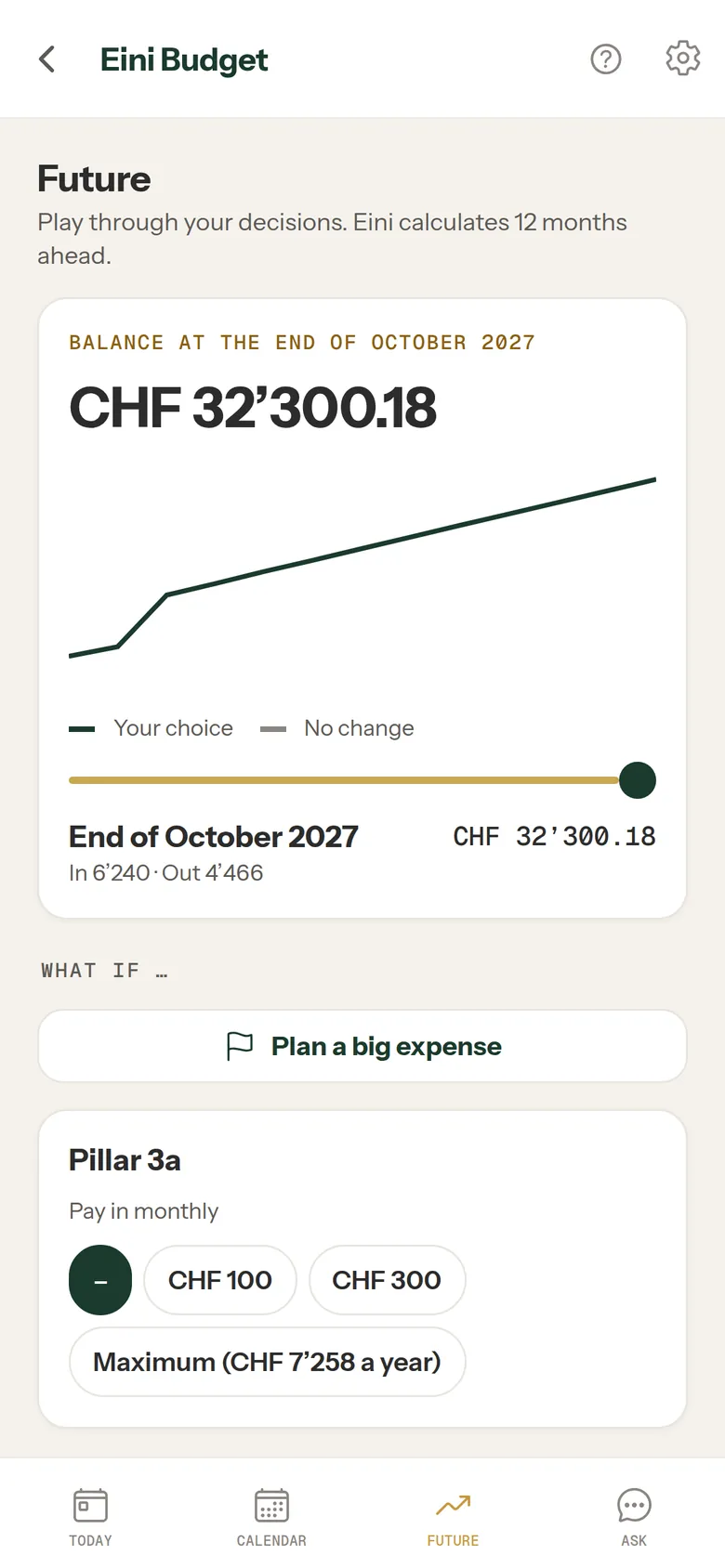
Future: 12 months ahead
App screens with example values.
Where the numbers come from
Eini calculates every figure itself, from your details: balance, salary, fixed costs, planned and logged spending. For everyday spending Eini starts with your weekly estimate. After 14 days, once you have logged spending on at least 7 of them, Eini uses your real average of the last 28 days.
Rent, health insurance and taxes come from your other Eini modules if you want, your taxes for example from the estimate based on data from the Federal Tax Administration (ESTV). In “Ask Eini”, an AI only reads the amount, date and item from your question. Eini calculates the answer.
No ads. Your data is never sold. Receipt photos are read once and not stored. Photographed QR codes are read on your phone, only the text of the code goes to Eini. A PDF bill is read on Eini’s server and not stored. Reminders and widgets never show your balance.
What Eini does not do
- Eini Budget does not connect to your bank and does not read any account.
- Eini never pays anything. You pay your bills yourself; Eini marks them as paid when you tell it to.
- The forecast is a plan based on your details, not a guarantee and not financial advice.
If your balance is no longer right, type it in again. Eini recalculates from that moment.
Frequently asked questions
Does Eini Budget need access to my bank account?
No. You type in your balance yourself. Eini has no access to your bank and never makes payments.
What is the quickest way to log an expense?
The widget on your home screen (on the iPhone also on the lock screen) opens the entry straight away. With Siri on the iPhone or in the reply field of the evening reminder you log it without opening the app. You type the amount, with a note such as “lunch” if you like.
Can Eini read QR bills?
Yes. Photograph the payment part, choose a PDF or share the bill with Eini from Mail or Files. With a photo, the QR code is read on your phone, a PDF is read on Eini’s server without being stored. Then Eini plans the bill. You pay it in your e-banking.
How much does Eini Budget cost?
Eini Budget is part of Eini Premium: CHF 3 a week or CHF 90 a year, with all modules. You can try it free for 7 days and cancel anytime.
Can I use Eini Budget in the browser?
Yes. At app.eini.app you use Eini Budget with the same account. Widgets, Siri and the evening reminder are only in the app on your phone.
What’s really free until payday?
Included in Eini Premium: CHF 3 a week or CHF 90 a year, with a 7-day free trial.
Download